8.3 Preparing the written test:
Recently added vocabulary
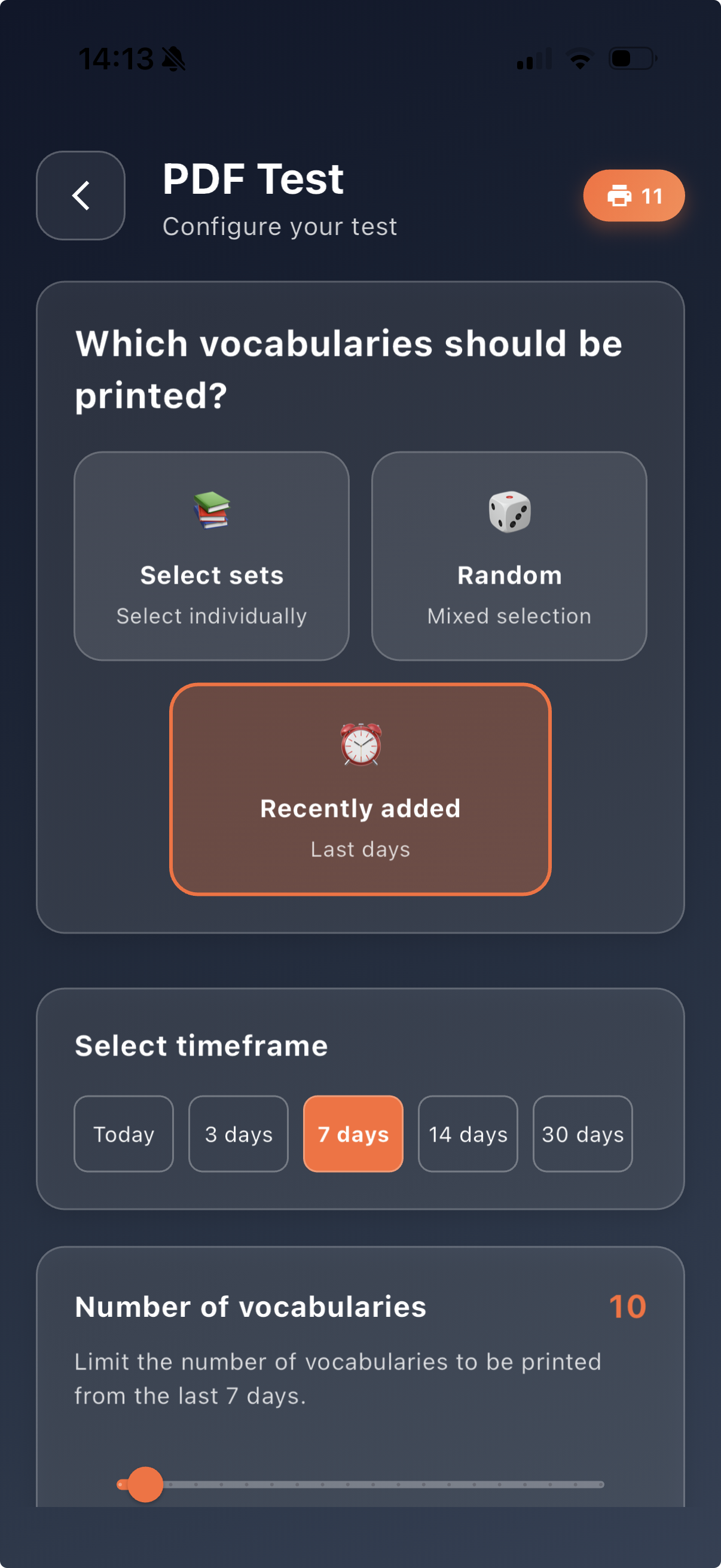
With this option, you can specifically select the most recently added vocabulary items for the written test. This is especially useful when you want to consciously review new words or sentences shortly after adding them. You can define the time period and the number of vocabulary items.
Show step-by-step in the video
1. Scroll in the dashboard to the Vocabulary tests section
2. Tap PDF test
3. Select PDF test
4. Choose the option Recently added
5. Select the desired time period (e.g. today, 3 days, 7 days, 14 days or 30 days)
6. Use the slider to choose the number of vocabulary items
7. Once your selection is complete, the message “Test ready to print” appears
8. You can now generate or print the written test as a PDF
This function is especially suitable for a quick written review of new content. This allows newly added words and sentences to be specifically reviewed before they are included in larger written tests later on.